Syncupp
Features
Pricing
Docs
AboutContact
Start freeSign UpLog InSign In
Start free

Plan & deliver

Boards & viewsKanban, list, and calendar in one click.Time trackingTimers, work logs, and timesheet exports.Chat & meetingsTeam channels and Google Calendar sync.

Motivate & manage

GamificationCoins, streaks, leaderboards, rewards.Attendance & leaveGPS check-ins and instant leave approvals.Roles & client portalControl who sees what, per project.

Automate

WhatsApp & SlackCreate tasks and get alerts from chat.AI connectorUse Claude, ChatGPT, or Cursor on your work.Webhooks & ZapierTrigger workflows across your tools.
Take Syncupp with youDownload on theApp StoreGet it onGoogle PlayTour all features →Compare plans →

Help center

Getting StartedYour command center, health, and KPIs.Projects & TasksBoards, columns, and live workflows.Chat & MeetingsCalendar, deadlines, and Google sync.HR & OperationsCheck-ins, hours, and work timings.GamificationCoins, streaks, and rewards.
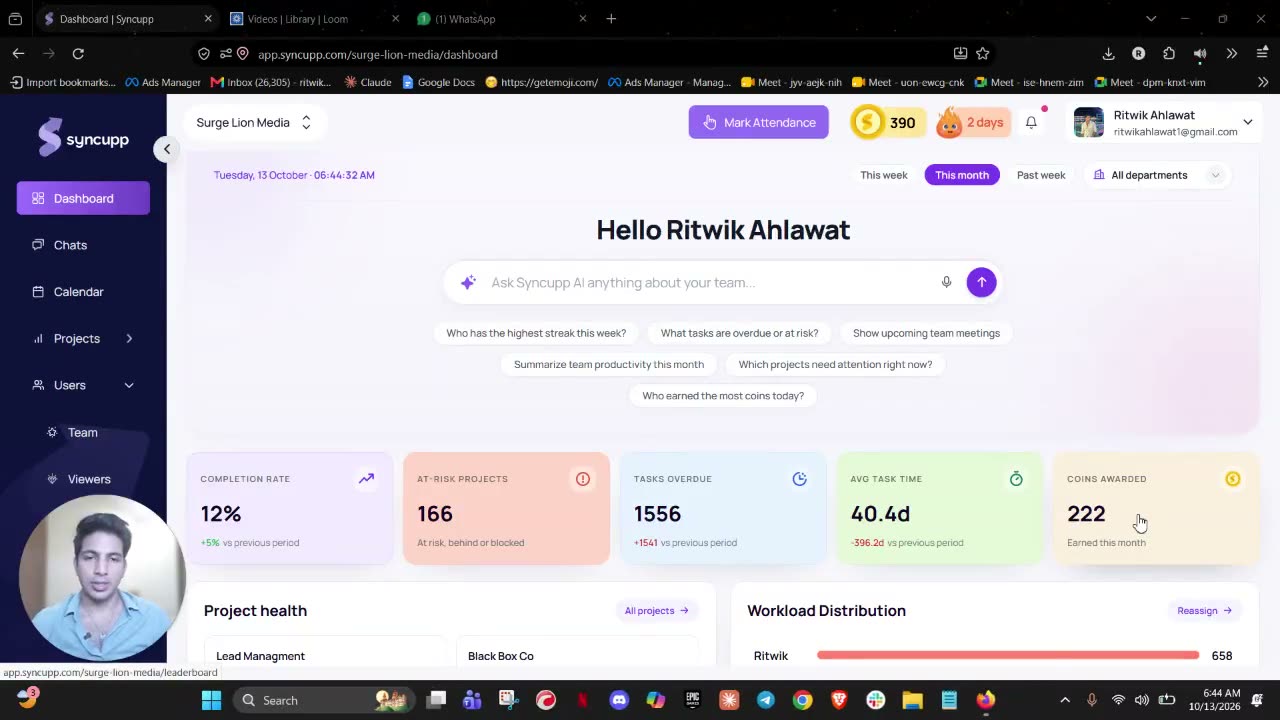
Getting StartedSee project health, workload, and KPIs on one screen. This walkthrough shows how the dashboard helps you spot what needs attention before the day gets away.
For developersDeveloper docsAI connector (MCP)WebhooksBrowse all docs →
PrivacyTermsCancellationShipping

Legal

Shipping and Delivery

How Syncupp access is delivered. We are a SaaS product, not a physical shipment.

Last updated September 2026

As a SaaS company, Surge Lion Technologies Private Limited does not ship or deliver any physical products. Below are the details regarding delivery of Syncupp software access.

Access timeframe

Access to Syncupp will be granted within 24 hours of completing the payment process. You will receive login credentials via email that can be used to start accessing the software right away.

Money-back guarantee

Every paid plan comes with a 7-day money-back guarantee. If Syncupp is not right for you, you can request a full refund within 7 days of payment.

Upgrades

If you choose to upgrade your plan to a higher tier, the changes will take effect immediately in your account. You will see the improvements and additional features right after upgrading.

Subscription transfer

If you need to transfer your subscription to a new account owner, please contact our support team. We will work to facilitate the transfer as quickly as possible while maintaining security and data privacy.

System requirements

It is the customer's responsibility to ensure they have the system requirements needed to access and use Syncupp. We recommend using modern browsers and operating systems for the best experience.

Need help?

Please reach out to our support team at Surge Lion Technologies Private Limited if you face any issues accessing or using Syncupp during your subscription period. We are happy to assist and ensure you get the most out of our software.

Contact usBack to product

Questions about our policies?
We're here to help.

Reach out anytime. Our team is here to help.

Start free trial
Syncupp

The world's first gamified team superapp. Unifying task management, client collaboration, smart automations, and team performance.

Get the mobile appDownload on theApp StoreGet it onGoogle Play
Featured on Twelve Tools
Official Cloud APIWhatsApp Integration

Product

  • Features Overview
  • Plans & Pricing
  • Kanban Boards
  • Time Tracking
  • Overdue Automation

Developers & AI

  • Documentation Hub
  • Claude Code (MCP)
  • Webhooks API
  • WhatsApp Automation

Company

  • About Us
  • Blog
  • Contact Support
  • Twelve Tools Directory

Legal & Trust

  • Privacy Policy
  • Terms of Service
  • Cancellation & Refund
  • Shipping & Delivery
Enterprise Security & Compliance Standards
256-Bit SSLBank-Grade TLS
PCI-DSSLevel 1 Certified
GDPRCompliant
AES-256Encrypted At-Rest
SOC 2 Type IISecurity Ready
#2 on AppSumoPay once and keep Syncupp for life, from $49.Grab the deal

© 2026 Syncupp Inc. All rights reserved.

Engineered with precision for ambitious teams & agencies.