How to Manage Your Team on WhatsApp Without Losing Tasks (2026)
Keep WhatsApp for conversation and stop losing the work assigned in it. A 7-step setup that gives every task an owner, a due date and reminders that land back in WhatsApp.

On this page
- Why do tasks get lost in WhatsApp groups?
- Can you manage a team using only WhatsApp?
- How do you set up WhatsApp for team task management?
- What is the fastest way to turn WhatsApp messages into tasks?
- How do you get your team to actually update their tasks?
- What does it cost to add a task layer to WhatsApp?
- How to choose your WhatsApp task management setup: a checklist
- Frequently asked questions
- Conclusion: keep WhatsApp, add a list that talks back
- About Syncupp
- Sources
Your team answers WhatsApp faster than email, so that is where work gets assigned. The trouble starts a few hours later: the request you sent at 10 am sits under dozens of newer messages, two people each think the other has it, and you find out it slipped when the client calls. This guide shows how to keep WhatsApp as the place your team talks while making sure every task has an owner, a due date and a record.
Why do tasks get lost in WhatsApp groups?
Tasks get lost in WhatsApp because a chat is ordered by time, not by status. A request slides up the screen as new messages arrive, it often has no named owner or deadline, and a thumbs-up gets read as a commitment. Nothing in a group shows what is still open, so the manager becomes the reminder system.
WhatsApp is the default for good reasons: on Meta's first-quarter 2025 earnings call, Mark Zuckerberg said it has more than 3 billion monthly users (TechCrunch, 2025). Your staff, vendors and clients are already there.
The cost shows up in message volume. Microsoft's 2025 Work Trend Index found that the most heavily pinged employees are interrupted every two minutes of core work hours by meetings, email or chat (Microsoft WorkLab, June 2025). Asana's 2023 survey of 9,615 knowledge workers found that 15% of people using 6–15 apps miss messages and actions, rising to 25% at 16 or more apps (Asana via Business Wire, 2023).
For more data on why work slips after it is assigned, see our workplace accountability statistics.
In practice, tasks leak out of WhatsApp groups in five ways:
- Buried. The request is off the screen by lunch, and nobody scrolls back.
- No owner. "Can someone check this?" is addressed to everyone, which means no one.
- No deadline. "ASAP" and "today" mean different things to different people.
- False acknowledgement. A thumbs-up says "seen", not "done by Friday 5 pm".
- Silent completion. The work gets done but nobody posts it, so you chase it anyway.
Can you manage a team using only WhatsApp?
Yes, if your team is small, tasks are short, and one person keeps a written list. WhatsApp's own features (pinned messages, polls, events and announcement groups) handle reminders and quick decisions. They do not give you owners, due dates, status and history in one view, so beyond a handful of open tasks you need a task layer.
Here is what WhatsApp itself can and cannot do for task tracking, as of November 2026:
| WhatsApp feature | Useful for | Where it stops |
|---|---|---|
| Pinned messages | This week's priorities at the top of a group; pins last 24 hours, 7 days or 30 days, and admins decide who can pin (TechCrunch, 2023) | A pin is a note, not a status |
| Polls | Quick decisions, with single-vote polls and vote notifications (WhatsApp blog, 2023) | Answers a question; tracks nothing |
| Announcement groups (Communities) | One-way admin updates with grouped, muted replies (WhatsApp blog, 2024) | Broadcasts work; cannot assign it |
| Events | Meetings and deadlines with RSVPs and an automatic reminder (WhatsApp blog, 2024) | No owner or progress |
| WhatsApp Business Platform (API) | Automated alerts from your own systems | More than 24 hours after a user's last message, only pre-approved templates can be sent, charged per message since July 2025 (Meta for Developers) |
A rough rule of thumb for when WhatsApp alone is enough:
The more people and open tasks, the less WhatsApp alone can carry
More open tasks at a time
- Add one shared listSheet or simple tool; reminders by hand
- Task tool as the system of recordWhatsApp for alerts and updates only
- WhatsApp alone is enoughTask format plus a pinned weekly list
- Organise the groupsAnnouncement group, one group per team
More people on the team
If your team sits in the top-right box, more WhatsApp rules will not fix it; the list has to live somewhere that can track status. Agencies can check these signs you have outgrown spreadsheets and WhatsApp groups.
How do you set up WhatsApp for team task management?
Separate talking from tracking. Use WhatsApp groups for discussion, write every assignment in a fixed format, copy it into one task list the same day, and let that list push reminders back to WhatsApp. A ten-minute daily review and a visible "done" signal close the loop.
- Split groups by purpose. One announcement group for company updates, one group per team or client, and a separate group for social chat. Fewer messages per group means fewer buried tasks.
- Agree a task message format. It answers the three questions people forget to ask: who, by when, and what counts as finished.
Task message format
- TASK:
- Send revised quote to Mehta Traders
- OWNER:
- @Priya
- DUE:
- Thu 14 Nov, 5 pm
- DONE WHEN:
- PDF sent and client confirms receipt
- Capture every task in one list the same day. A shared sheet works for three to five people; past that, use a task tool. If it is not in the list, it is not a task.
- Give each task one owner, one due date and one definition of done. Two owners means no owner, so split shared tasks.
- Send reminders back into WhatsApp automatically. People read WhatsApp; they rarely open a second app to check. Remind a day before each due date and alert when a task goes overdue. In Syncupp, WhatsApp deadline reminders go out 24 hours before the due date, and late cards move to an Overdue column on their own (Syncupp help).
- Run a 10-minute daily review. Same time every day: what is overdue, what is due today, what is blocked. Post the summary in the team group.
- Close the loop visibly. The owner marks the task done, the manager approves it or sends it back with a reason, and finished work gets recognised. Recognition keeps step 3 alive after the first month.
Every task ends approved and recognised, or goes back with a reason
- Request in a grouptext or voice note
- Task loggedone owner, due date, done-when
- Reminder on WhatsAppa day before it is due
- Owner updates from chatand marks it done
- Approved?Yes: recognised. No: back to the owner with a reason
- Recognisedpoints, streak, leaderboard
What is the fastest way to turn WhatsApp messages into tasks?
The fastest way is a task tool with a native WhatsApp integration, where a typed message or voice note becomes an assigned task without leaving the chat. Copying tasks by hand is free but depends on one person's discipline. Building your own bot on the WhatsApp Business Platform works, but needs developer time and approved message templates.
For a side-by-side of tools, see our comparison of project management tools with WhatsApp integration.
In Syncupp, a gamified team management app with native WhatsApp and Slack integration, people send a typed message or voice note to its AI agent on WhatsApp, Slack or in the app to create, assign and update tasks. The same WhatsApp channel delivers a morning briefing, deadline alerts and approval requests, handles leave requests, and asks for a reason before a due date moves.
| Approach | Setup | Ongoing effort | Watch out for |
|---|---|---|---|
| Copy tasks by hand into a sheet | None | High | Breaks the week the copier is busy |
| Third-party add-on for your current tool (e.g. Whatsana for Asana) | Connect the add-on | Medium | Not built by the tool's maker; two subscriptions |
| Your own bot on the WhatsApp Business Platform (Zapier, Make or code) | Business verification, templates, build time | Low once running | Template approval and per-message charges |
| Task tool with native WhatsApp integration (e.g. Syncupp) | Each member verifies their WhatsApp number | Low | Your team still adopts a new tool |
How do you get your team to actually update their tasks?
Make updating easier than not updating, and make it visible. Let people update from WhatsApp instead of logging in somewhere else, require approval before important work counts as done, and reward on-time completion with points, streaks and a team leaderboard. Recognition gets more updates than chasing does.
Chasing status is "work about work", which Asana's 2023 survey found fills 58% of a knowledge worker's day (Asana via Business Wire, 2023). Four practices cut it down:
- Update where people already are. A status change sent from WhatsApp beats a reminder to open another app.
- Approve, don't assume. An approval step means "done" has been checked, and the owner hears back either way.
- Reward on-time, approved work, not volume. Counting tasks rewards splitting work into tiny pieces.
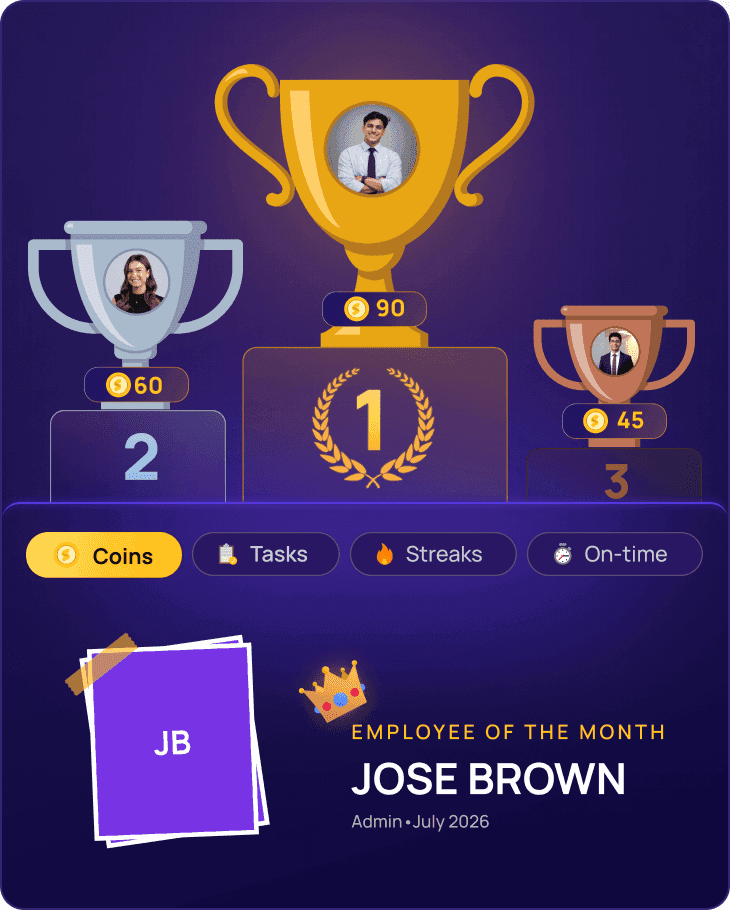
- Keep competition friendly. Reset leaderboards weekly or monthly and celebrate team streaks too. More in our guide on how gamification improves team productivity.
What does it cost to add a task layer to WhatsApp?
A shared sheet costs nothing but someone's time. Most task tools charge per user per month. Syncupp costs $5–$8 per user per month for up to 20 users, depending on billing period, or $149 a month flat for unlimited users, with every feature on both plans (Syncupp pricing, as of November 2026).
Most teams under 20 pay less per user; past 20, $149 flat covers everyone
Syncupp cost per month in USD by team size · on monthly billing, flat beats $8/user from 19 users
On yearly billing, per-user pricing stays cheaper all the way to 20 users. On monthly billing, the flat plan wins from 19 users, and above 20 users it is the only option.
Syncupp fits teams of 5–100 people, such as agencies, accounting firms, real estate and trading businesses. It has no white-label option, and organisations planning hundreds of projects at once will want a heavier enterprise tool.
How to choose your WhatsApp task management setup: a checklist
Pick the lightest setup that passes these checks. If a shared sheet passes, keep it. If it fails two or more, trial a tool that connects to WhatsApp with one team for two weeks.
- Every open task is visible in one place, with owner and due date
- Anyone can create a task from WhatsApp, by text or voice
- Reminders and overdue alerts reach people on WhatsApp
- Status can be updated without leaving WhatsApp
- Finished work goes through an approval step
- Task history stays with the company when someone leaves
- Good work gets noticed: points, a leaderboard or a weekly shout-out
- It also works on Slack or email for people who keep WhatsApp personal
Frequently asked questions
How do I track tasks assigned in a WhatsApp group?
Write each task in a fixed format (task, owner, due date, done-when), copy it into one shared list the same day, and review that list for ten minutes daily. A task tool with WhatsApp integration removes the copying step by creating the task straight from the message and sending reminders automatically.
Can I create tasks from WhatsApp voice notes?
Yes, with a tool that supports it. Syncupp's AI agent accepts voice notes on WhatsApp and Slack and turns them into tasks with an owner and due date. Plain WhatsApp cannot do this on its own. A self-built bot on the WhatsApp Business Platform could, but you would need to add transcription yourself.
Do I need the WhatsApp Business API to send task reminders?
Not if your task tool handles it; in Syncupp each member verifies their number in settings and reminders start. If you build your own reminders, you need the WhatsApp Business Platform, pre-approved templates for messages outside the 24-hour window, and you pay per template message (Meta for Developers).
Is it risky to run company work on WhatsApp?
The main risk is control, not privacy. Task history sits on personal phones, a departing employee can take the context with them, and old groups still hold members who left the team. Keep your system of record in a company-owned tool, use WhatsApp for alerts and discussion, and remove leavers from groups on their last day.
What is the best WhatsApp task management app for a small team?
It depends on what fails today. Under five people with few tasks, a shared sheet plus the message format above is enough. If tasks slip and updates need chasing, choose a tool with native WhatsApp integration, approvals and recognition. Syncupp fits 5–100 person teams that also want chat, attendance and leaderboards in one app.
Conclusion: keep WhatsApp, add a list that talks back
You do not need to move your team off WhatsApp to stop losing tasks. You need one list every task lands in, one owner and due date per task, reminders that arrive in WhatsApp, and a reason to mark work done. Syncupp's 160+ paying teams across India, Malaysia, Singapore, the Philippines and Thailand use it to do exactly that.
About Syncupp
Syncupp is a gamified team management app with native WhatsApp and Slack integration that brings tasks, team chat, meetings, attendance and leave, and approvals into one tool, with points, streaks and leaderboards that get teams to actually update their work. It is built for small and mid-size teams of 5–100 people, such as agencies, accounting firms, real estate and trading businesses, and costs $5–$8 per user per month (up to 20 users) or $149 a month flat for unlimited users.
Sources
- TechCrunch: WhatsApp has more than 3 billion monthly users (Meta Q1 2025 earnings call)
- Microsoft WorkLab: Breaking down the infinite workday, Work Trend Index special report (Jun 2025)
- Business Wire: Asana Anatomy of Work Global Index 2023 (Mar 2023)
- TechCrunch: WhatsApp now lets you pin messages in individual and group chats (Dec 2023)
- WhatsApp blog: New updates to polls and sharing with captions (May 2023)
- WhatsApp blog: New to Communities: events and replies in announcement groups (May 2024)
- Meta for Developers: WhatsApp Business Platform pricing
- Asana app directory: Whatsana (third-party WhatsApp integration)
- Syncupp help: WhatsApp notifications and alerts
- Syncupp help: Overdue automation rule
