Best Project Management Software for Agencies (2026)
Agencies don't fail on talent. They fail at the hand-offs. Eight tools compared on pricing, client access, time tracking and honest limits, with a checklist to pick the right one for your agency.

On this page
- The 8 best project management tools for agencies at a glance
- What should agencies look for in project management software?
- The 8 best project management tools for agencies, reviewed
- How much does project management software for agencies cost?
- How do you choose the right project management software for your agency?
- Frequently asked questions
- Conclusion: which tool should your agency pick?
- About Syncupp
- Sources
Agencies don't fail on talent. They fail at the hand-offs: a client note buried in a WhatsApp thread, a revision nobody logged, a retainer that quietly ran over. The right project management software fixes that, but only if your team actually keeps it updated.
We compared eight tools agencies shortlist most in 2026. Pricing was checked on each vendor's own site in November 2026. Every tool, including ours, gets real pros and cons.
The 8 best project management tools for agencies at a glance
Prices are per user per month on annual billing unless stated, as listed on each vendor's pricing page in November 2026.
| Tool | Starting paid price | Best for | Standout feature | Main limitation |
|---|---|---|---|---|
| Syncupp | $5/user (yearly), $8 monthly; $149/mo flat for unlimited users | Small agencies whose team doesn't update tasks | Points, streaks and leaderboards plus WhatsApp and Slack task creation | No invoicing, budgets or retainers; no white-label |
| Teamwork.com | $9.99/user (min. 3 users) | Client-service agencies billing by the hour | Billable time, client users, retainers (Accelerate) | Retainers and timesheets need the $24.99 plan |
| Productive.io | $10/user (Essential, min. 3 seats) | Agencies that live by budgets and margins | Budgeting and resource planning on every plan | Pricing page shows conflicting figures; heavier setup |
| ClickUp | $9/user (Core) | Agencies that want one flexible tool for everything | Docs, whiteboards, tasks and time in one app | Easy to over-build; timesheets need Business ($17) |
| monday.com | $9/seat (Basic, min. 3 seats) | Visual, client-facing project boards | Highly customisable boards and dashboards | Time tracking only on Pro ($19/seat) |
| Asana | $10.99/user (Starter) | Mid-size agencies with cross-team campaigns | Unlimited free guests on paid plans | Time tracking and portfolios need Advanced ($24.99) |
| Scoro | $29/user (Projects & Resources, monthly billing, min. 5) | Finance-led agencies wanting quote-to-cash | Quotes, invoicing, resourcing and reports in one system | Most expensive; overkill for small teams |
| Basecamp | $29/mo flat (Freelancer, 5 users) | Small studios that want calm, simple collaboration | Flat pricing, message boards and client access | Clients count toward user caps; light reporting |
What should agencies look for in project management software?
Agencies should look for five things: client access without paid seats, approvals built into tasks, time tracking tied to clients or retainers, a workload view of who is overloaded, and high team adoption. A tool with every feature fails if your team keeps working in WhatsApp and never updates it.
Agency work is different from in-house work. You run many clients at once, finite projects sit inside rolling retainers, and every deliverable needs at least two sign-offs: yours and the client's.
Every client deliverable crosses six hand-offs your tool must hold
- Client briefIntake in one place
- Plan and assignAn owner and a due date
- ProduceStatus everyone can see
- Internal approvalSign-off before it ships
- Client reviewFeedback outside chat threads; revisions go back to production
- Deliver and billHours and scope logged
The revision loop between client review and production is where most agency time disappears, because feedback arrives in email, calls and chat rather than on the task.
The cost of scattered tools is measurable. Asana's Anatomy of Work Global Index 2023, a survey of 9,615 knowledge workers in six countries, found people spend 58% of their day on "work about work" and use 8.8 apps on average. Among workers using 6–15 apps, 15% said they miss messages and actions.
Here is the checklist we used to judge every tool below:
- Client collaboration: can clients view or approve work without a paid seat?
- Approvals: is sign-off part of the task, or a separate chase?
- Time and money: billable time, budgets, retainers and invoicing, if you bill that way.
- Capacity: can you see who is overloaded before a deadline slips?
- Adoption: will designers, writers and account managers actually update it every day?
- Chat integration: can work captured in WhatsApp or Slack become a task? (See how to manage your team on WhatsApp without losing tasks.)
- Price at your size: what does it cost for your real headcount, not the per-seat sticker?
The 8 best project management tools for agencies, reviewed
1. Syncupp: best for small agencies whose team doesn't update tasks
Disclosure: Syncupp is our product. We list it first because small agencies are exactly who it is built for, and we state its limits below.
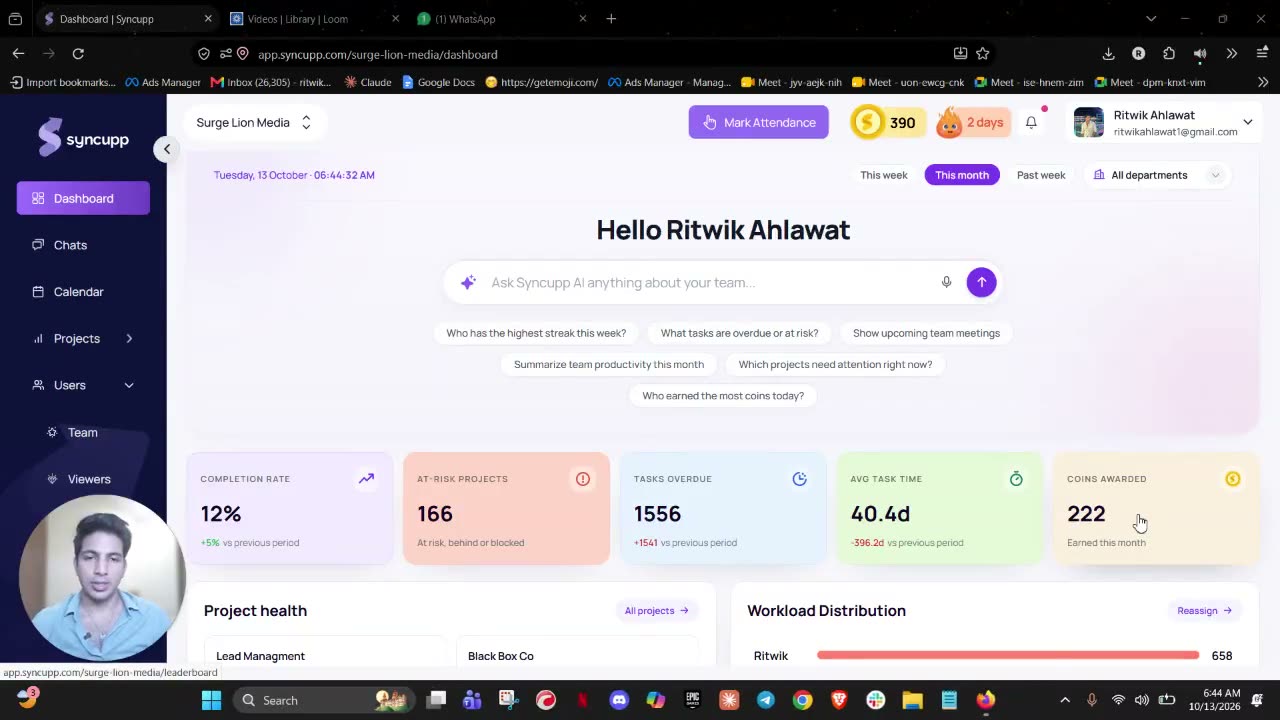
Syncupp is a gamified team management app with native WhatsApp and Slack integration. It combines tasks, team chat, meetings, attendance and leave in one tool, and rewards people with points, streaks and leaderboards for finishing work on time.
Best for: agencies of 5–100 people that have tried ClickUp or Asana, watched the team drift back to WhatsApp, and want one simple tool people actually open.
- Kanban, list and calendar views with subtasks, recurring tasks and dependencies
- Approvals built into tasks, so sign-off is not a separate chase
- Coins, XP, streaks, leaderboards and a rewards section that managers configure
- WhatsApp and Slack: create a task, move a due date, apply for or approve leave from the chat
- An AI assistant you can chat with in-app, on WhatsApp or on Slack to create and update tasks, with voice notes on WhatsApp and in the app
- Timers and task-level time logs with CSV export
- GPS-verified attendance and leave approvals
- Free view-only client accounts on shared projects, plus custom roles and permissions
- Claude MCP connector, Zapier, Make, Pabbly and webhooks
- AI meeting note-taker and AI weekly client / monthly leadership reports are rolling out
Pricing (November 2026): Small teams (up to 20 users) cost $8/user on monthly billing, $7 quarterly, $6 six-monthly or $5 yearly. Growing teams pay $149/month flat for unlimited users. Free trial, no credit card. See Syncupp pricing.
Pros
- Gamification gives designers and writers a reason to update tasks, which fixes stale boards
- Replaces several tools: tasks, chat, meetings and attendance in one place
- WhatsApp-native, useful for teams and freelancers who live on their phones
- Flat $149/month makes growth predictable for agencies above about 20 people
Cons
- No invoicing, budgets, billable rates or retainer tracking: you will still need an accounting or billing tool
- No white-label client portal
- Smaller review base than the established tools
Verdict: Pick Syncupp if your real problem is that work lives in chat and nobody updates the board. Skip it if you need billing and profitability inside your PM tool.

2. Teamwork.com: best for client-service agencies billing by the hour
Teamwork.com is project management software built for client work, with client users, billable time and retainers in the product.
Best for: agencies of 10–100 people that bill hourly or sell monthly retainers and want delivery and billing in one place.
Key features: client users (paid plans), billable time tracking, timesheets, invoices created from logged time, time retainers, proofing, automations.
Pricing (November 2026, billed yearly): Free for up to 5 users and 5 projects. Basics $9.99/user (min. 3 users) adds client users and billable time. Accelerate $24.99/user (min. 5) adds timesheets, invoicing from time and unlimited time retainers. Optimize and Enterprise are quoted. Source: Teamwork.com pricing.
Pros
- Built around agency economics: retainers, billable vs non-billable time
- Clients can work inside projects on paid plans
- Free plan includes proofing (5 proofs a month) to test client reviews
Cons
- The features agencies buy it for (timesheets, retainers, invoicing) start at $24.99/user
- Denser interface; creative staff may resist it
- Free plan caps at 5 users and 5 projects
Verdict: The safest pick for an hourly-billing agency that wants one system. Overkill for a team that only needs tasks and approvals.
3. Productive.io: best for agencies that manage by budget and margin
Productive.io is an agency operations platform that ties projects to budgets, time and resource planning, so you see margin per client as work happens.
Best for: agencies of 15+ people where a finance or ops lead watches profitability every week.
Key features: budgeting, time tracking and resource planning from the entry plan; recurring budgets on Professional; client access to budgets; HRIS and invoicing integrations.
Pricing (November 2026): Essential is listed from $10/user and Professional from $29/user billed yearly, with a minimum of 3 seats and a 14-day free trial. Adding clients is free. The pricing page showed conflicting figures for the same plans (for example $12 and $25), so confirm on Productive.io pricing before you budget.
Pros
- Profitability and budget burn are visible per project and per client
- Resource planning included, not an add-on
- Free client access; 50% nonprofit discount
Cons
- Takes real setup time (rates, budgets, roles) before it pays off
- Pricing page is hard to read
- Heavier than a 5–10 person studio needs
Verdict: Choose it when margin, not task tracking, is the problem you are solving.
4. ClickUp: best for agencies that want one flexible tool for everything
ClickUp is a highly configurable work platform that combines tasks, docs, whiteboards, chat and time tracking.
Best for: process-minded agencies with someone who enjoys building and maintaining workflows.
Key features: many views (list, board, Gantt, calendar), docs and wikis, forms for client intake, guest permissions and automations.
Pricing (November 2026, billed yearly): Free Forever (unlimited members, 60 MB storage, 100 automation actions a month). Core $9/user adds basic time tracking and guest permissions. Business $17/user adds timesheets. Enterprise is quoted. Monthly billing costs more ("save up to 33% with yearly"). Source: ClickUp pricing.
Pros
- Very generous free plan for evaluation
- Can model almost any agency process
- Large template and integration library
Cons
- Easy to over-build; many small teams find it complex and stop updating it (see our ClickUp alternatives for small teams)
- Timesheets need Business; advanced time tracking needs Enterprise
- Storage on Free (60 MB) runs out fast with creative files
Verdict: Great if you have an ops person to own it. If you don't, the flexibility becomes clutter.
5. monday.com: best for visual, client-facing project boards
monday.com is a visual work management platform built on colourful, customisable boards and dashboards.
Best for: agencies that want polished boards to share with clients and a tool non-technical staff find friendly.
Key features: custom board columns, dashboards, automations, guest access (Standard and up), time tracking (Pro and up), 200+ templates.
Pricing (November 2026, per seat, billed yearly): Free for up to 2 seats and 3 boards. Basic $9, Standard $12, Pro $19; plans start from 3 seats and Enterprise is quoted. Monthly billing is not discounted, so it costs more. Source: monday.com pricing.
Pros
- Easy to learn and pleasant to look at
- Guests on Standard make client sharing simple
- Strong dashboards for account leads
Cons
- Time tracking only on Pro ($19/seat)
- Seat minimum of 3 and seat-based billing add up as you grow
- No native billing or retainers
Verdict: A good fit for visual agencies that sell clarity to clients. Budget for Pro if you track time.
6. Asana: best for mid-size agencies running cross-team campaigns
Asana is a mature work management platform known for clean task lists, timelines, portfolios and goals.
Best for: agencies of 25–200 people with several teams (creative, media, content) working on the same campaigns.
Key features: timelines, portfolios, workload (resource management), unlimited free guests on paid plans, rules and forms.
Pricing (November 2026, per user): Personal is free for up to 2 users. Starter $10.99 billed yearly ($13.49 monthly). Advanced $24.99 yearly ($30.49 monthly) adds time tracking, portfolios and workload. Timesheets and budgets are a paid add-on. Source: Asana pricing.
Pros
- Polished, reliable, easy to read
- Unlimited free guests suit client collaboration
- Good portfolio view across many client projects
Cons
- Time tracking, portfolios and workload sit on Advanced ($24.99)
- Timesheets and budgets cost extra on top
- Free plan is effectively for 1–2 people
Verdict: Strong for campaign coordination across departments. Pricey for small agencies once you need time tracking.
7. Scoro: best for finance-led agencies that want quote-to-cash
Scoro is a professional services automation (PSA) platform that combines quotes, projects, time, resourcing, invoicing and financial reporting.
Best for: agencies of 30+ people with a finance team that wants one system from quote to invoice.
Key features: quote and budget builder, Gantt and milestones, retainers, resource booking, invoicing and recurring billing, utilisation and margin reports, CRM on End-to-end.
Pricing (November 2026, per user, monthly billing, min. 5 users): Time-billing $17, Projects & Resources $29, Quote to Cash $29, End-to-end $57. Annual billing saves 13–17%. 14-day free trial. Source: Scoro pricing.
Pros
- The deepest finance and margin reporting on this list
- Replaces several tools (CRM, quoting, invoicing)
- Built for professional services
Cons
- The most expensive option here
- Long implementation; too heavy for small teams
- 5-user minimum on every plan
Verdict: Worth it when finance drives decisions and you have budget for setup. Not a starter tool.
8. Basecamp: best for small studios that want calm, flat-priced collaboration
Basecamp is a simple project collaboration tool built around message boards, to-dos, schedules, docs and chat in each project.
Best for: studios and boutique agencies of 3–15 people that value calm communication over detailed tracking.
Key features: message boards, to-dos, card tables, schedules, docs and files, chat, client access, time tracking on higher plans.
Pricing (November 2026, flat per month): Free (1 project, 3 users). Freelancer $29 (5 users, 3 projects). Pro $79 (10 users, 8 projects). Pro Plus $99 (15 users, 12 projects, time tracking). Pro Unlimited $199 billed yearly ($329 monthly) for unlimited users. Source: Basecamp pricing.
Pros
- Flat pricing, no per-seat maths
- Very simple; low training cost
- Clients can join projects
Cons
- Clients, contractors and guests count toward user caps below Pro Unlimited
- Project caps on smaller plans
- Light on reporting, workload and approvals
Verdict: Ideal for small teams that mainly need clear communication. Outgrown once you need tracking and accountability.
How much does project management software for agencies cost?
For a 15-person agency, a plan that includes time tracking costs between about $75 and $435 a month in November 2026. Per-seat sticker prices hide the real gap: the features agencies need, such as time tracking, timesheets or retainers, often sit one or two tiers above the entry plan.
A 15-person agency pays $75 to $435 a month for a plan with time tracking
Monthly cost for 15 users on the cheapest plan that includes time tracking, US$, list prices November 2026
Read the chart as a floor, not a quote. Seat minimums, add-ons (Asana's timesheets and budgets), and monthly billing all raise the real number, so price your actual headcount on each vendor's page before you decide.
How do you choose the right project management software for your agency?
Start with how you bill. If you bill hourly or run retainers, you need time, budgets and invoicing inside the tool, so shortlist Teamwork.com, Productive.io or Scoro. If you bill fixed fees and your pain is missed updates, pick the simplest tool your team will open daily, such as Syncupp or Basecamp.
Choose by how much finance lives in the tool, then by team size
- Flexible work managementClickUpmonday.comAsanaCustom workflows across several teams
- Full agency operations (PSA)ScoroQuote to cash, margins, resourcing
- Simple and actually adoptedSyncuppBasecampTasks, approvals and chat; bill elsewhere
- Billing built inTeamwork.comProductive.ioBillable time, retainers, budgets
- Less finance in the tool
- More finance (time, budgets, invoices)
Team size
Finance in the tool
Placement is by zone, not an exact score: it shows which kind of tool each one is, not how good it is.
Run this checklist with your team before you sign up for anything:
- Write down how you bill. Fixed fee, hourly, retainer or a mix. This decides whether finance features matter.
- Count real users. Include freelancers and clients; some tools charge for them, some don't.
- Name the one failure you are fixing. Missed deadlines, lost client feedback, overruns or unclear workload. Judge every tool against that.
- Check where work starts. If briefs and changes arrive on WhatsApp or Slack, the tool must capture them there, or the board goes stale.
- Run a two-week pilot on one live client. Not a demo project. Measure how many tasks get updated without anyone chasing.
- Price your headcount at the tier you need. Use the plan with the features you actually need, not the entry tier.
- Check the exit. Can you export tasks, time logs and files if you switch?
The pilot in step 5 matters most. A tool your team ignores costs more than its subscription, because you pay for it and still chase updates in chat.
Frequently asked questions
What is the best project management software for a small agency?
For a small agency of 5–20 people that bills fixed fees, the best choice is the simplest tool your team will update every day, such as Syncupp or Basecamp. If you bill hourly or sell retainers, Teamwork.com or Productive.io are better because time, budgets and invoicing live inside them.
Do agencies need time tracking in their project management tool?
Only if you bill by the hour, sell retainers or want to measure profitability per client. Fixed-fee agencies can use simple timers or skip tracking. Hourly and retainer agencies should pick a tool with billable time and timesheets, such as Teamwork.com (Accelerate) or Productive.io, to avoid reconciling separate apps every month.
Can clients access agency project management software for free?
Often, yes. Asana includes unlimited free guests on paid plans, Productive.io says adding clients is free, Teamwork.com includes client users on paid plans, and Syncupp offers free view-only client accounts on shared projects. Basecamp is the exception: clients count toward user caps below Pro Unlimited.
Is ClickUp or Asana better for agencies?
ClickUp suits agencies that want one highly customisable tool and have someone to maintain it; its Core plan with basic time tracking costs $9/user yearly. Asana suits larger agencies coordinating campaigns across teams, but time tracking and portfolios need Advanced at $24.99/user. Small teams often find both heavier than they need.
How do I get my agency team to actually use a project management tool?
Make updating the tool easier than not updating it. Capture tasks where requests arrive (WhatsApp, Slack, email), keep one board per client, and recognise people who close work on time. Gamified tools like Syncupp use points, streaks and leaderboards to make on-time updates visible and rewarding; our workplace gamification statistics cover what works.
What does agency project management software cost?
In November 2026, a 15-person agency pays about $75 to $435 a month for a plan that includes time tracking, depending on the tool. Entry prices range from $5 to $29 per user, while flat-priced tools such as Basecamp ($29–$199) and Syncupp's unlimited plan ($149) avoid per-seat costs.
Conclusion: which tool should your agency pick?
Pick the tool that fixes your biggest failure. Hourly billing and retainers point to Teamwork.com or Productive.io; finance-led operations to Scoro; heavy custom workflows to ClickUp, monday.com or Asana; calm communication to Basecamp. If your problem is a team that won't update tasks and still runs on WhatsApp, Syncupp is built for that.
About Syncupp
Syncupp is a gamified team management app with native WhatsApp and Slack integration that combines tasks, team chat, meetings, attendance and leave, with points, streaks and leaderboards that keep teams updating their work. It is built for small and mid-size teams of 5–100 people, including agencies, and costs $5–$8 per user a month (up to 20 users) or $149 a month flat for unlimited users.
