How to Track Employee Attendance and Tasks in One App (2026)
Your team punches in on one app, gets work on WhatsApp and asks for leave on a phone call. How to put attendance, leave and tasks in one app, the daily workflow, and what it costs for 10 to 100 people.

On this page
- What is an attendance and task management app?
- Why track attendance and tasks in the same app?
- How do you set up attendance and task tracking in one app?
- What does the daily attendance and task workflow look like?
- Which apps track both attendance and tasks? (2026 comparison)
- What does it cost at your team size?
- How do you choose the right attendance and task management app?
- What mistakes should you avoid?
- Frequently asked questions
- Conclusion
- About Syncupp
- Sources
Your team punches in on one app, gets work on WhatsApp and asks for leave on a phone call. You can see who showed up, but not what they got done. This guide shows how to put attendance, leave and tasks in one app, what the daily workflow looks like, and what it costs for a 10 to 100 person team.
What is an attendance and task management app?
An attendance and task management app records when each employee starts and stops work, handles leave and holidays, and tracks the tasks assigned to them, all on one profile. Managers see hours present next to work completed, instead of matching a punch sheet against a separate task list.
It covers three jobs that most small teams run in different places:
- Attendance: clock-in and clock-out, location or office radius, working hours, late marks, absences and breaks.
- Leave: requests, approvals, holidays and who is out on which day.
- Tasks: boards, assignees, due dates, status, approvals and recurring work.
Attendance is not time tracking. Attendance answers "was this person working today, and for how long?" Time tracking answers "how many hours went into this task or client?" Agencies that bill by the hour need both (see our guide to project management software for agencies). Most teams with salaried staff need attendance plus task status, not a stopwatch on every task.
Why track attendance and tasks in the same app?
Two tools give you two versions of the truth. When attendance lives in an HR app and tasks live in WhatsApp or a project tool, a manager can approve leave without seeing the deadline it hits, or mark someone "present" without knowing that nothing moved. One app links presence to output on the same screen.
The switching cost is measurable. In a Harvard Business Review study of 137 users across three Fortune 500 companies (2022), workers switched between apps and websites about 1,200 times a day and spent nearly four hours a week reorienting after those switches, roughly 9% of their working time. Asana's Anatomy of Work Global Index 2023, a survey of 9,615 knowledge workers in six countries, found people spend 58% of their day on "work about work" and use 8.8 apps on average.
In a small business the split looks like this: leave approved in the week a client deliverable is due, a punch sheet showing nine hours while no task moved, payroll disputes over absences, and work assigned in a group chat that never reaches a list anyone reviews.
One employee profile replaces four places to check
Before
- Attendance: spreadsheet or HR app
- Leave: phone calls or a form
- Tasks: WhatsApp groups or a PM tool
- Updates: scattered chat threads
After
- Attendance: punch-in and hours
- Leave: apply and approve
- Tasks: boards and approvals
- Chat updates: WhatsApp and Slack
- Weekly view: hours, leave and work done
One profile per employee is what lets a manager read attendance and work done on the same screen.
How do you set up attendance and task tracking in one app?
Set it up in six steps: write your attendance and leave rules, add your team with roles, configure clock-in, configure leave, build one board per team with recurring tasks, then switch on reminders in the chat app your team already uses. Pilot it with one team for two weeks before rolling out.
- Write the rules before you open any app. Working hours, shift start, grace period for late marks, where people may punch in from (office radius or anywhere for remote staff), leave types, and who approves what. One page is enough.
- Add your team and set roles. Admins configure, managers approve leave and tasks, members punch in and update work. Limit who can see attendance records to the people who act on them.
- Configure attendance. Set working hours and holidays, then pick a clock-in method: location-verified for office or field staff, open clock-in for remote staff. Decide whether breaks are logged.
- Configure leave. Add leave types and approvers. Make sure managers see who is out on the same calendar where they assign deadlines.
- Build boards and routines. Create one board per team or client. Turn daily and weekly routines (reports, follow-ups, filings) into recurring tasks. Add an approval step where quality matters, so "done" means checked.
- Switch on nudges and pilot. Turn on the morning punch-in reminder and overdue alerts in the channel people actually read, such as WhatsApp or Slack. Run one team for two weeks, fix the rules that caused friction, then roll out.
What does the daily attendance and task workflow look like?
A good daily loop keeps admin to a few taps per employee: punch in, see today's tasks, update them as work moves, punch out. Managers spend their time on two queues only, leave requests and task approvals, and review one weekly view instead of chasing updates.
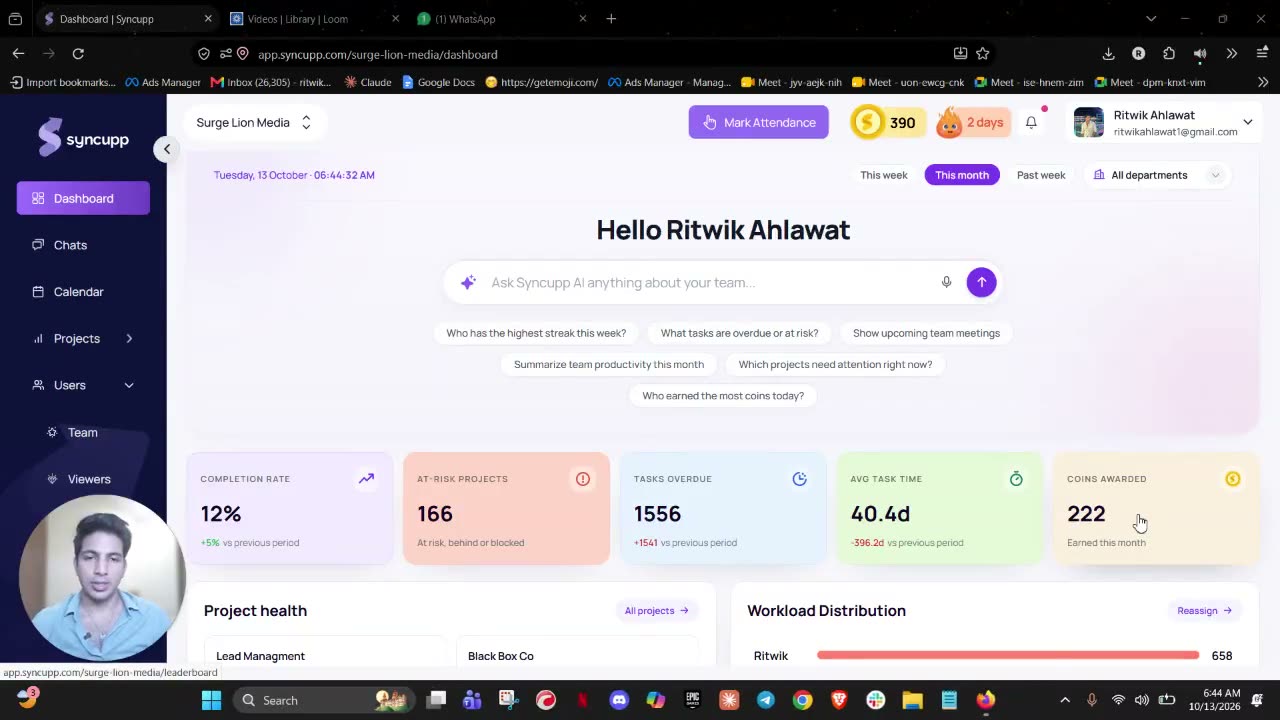
Here is the loop as it runs in Syncupp, a gamified team management app with native WhatsApp and Slack integration:
- Start of day: a WhatsApp reminder prompts staff to punch in. They punch in from the app's top bar or attendance hub, and the time and location are logged.
- During the day: staff move tasks on Kanban, list or calendar boards, or tell the AI agent in WhatsApp or Slack to create, assign or update a task. Overdue work triggers alerts. More in our guide to managing your team on WhatsApp without losing tasks.
- Approvals: managers sign off completed tasks and approve leave from one pending queue, including from WhatsApp or Slack.
- Motivation: completed work earns points and keeps streaks alive, and live leaderboards show who is shipping, not just who is present.
- End of week: the attendance table shows punch-in times, working hours and absent days per person. Export it for payroll and read it next to the board. See how Syncupp attendance works.
Attendance and tasks run as one daily loop
- ReminderWhatsApp nudge at shift start
- Punch intime and location logged
- Update tasksapp, WhatsApp or Slack
- Approvalstasks and leave in one queue
- Pointsstreaks and leaderboard
- Weekly reviewexport attendance and read it next to the task board
Which apps track both attendance and tasks? (2026 comparison)
Four common setups cover most small teams: a task-first app with attendance built in (Syncupp), a deskless-workforce app with a time clock and checklists (Connecteam), a large collaboration suite with hours tracking on upper tiers (Bitrix24), or a project tool plus a separate time clock (ClickUp with Jibble). Prices below are list prices as of November 2026.
| Option | Built around | Attendance | Tasks | Price (Nov 2026) | Best for | Main limitation |
|---|---|---|---|---|---|---|
| Syncupp | Tasks, chat and gamification, attendance built in | Clock-in with time and location logged (GPS-verified or radius-based), working-hour logs, leave and holidays, export | Kanban, list and calendar boards, subtasks, recurring tasks, task approvals, points, streaks, leaderboards | $8/user/mo monthly or $5/user/mo yearly, up to 20 users; $149/mo flat for unlimited users | Office, hybrid and remote teams of 5–100 that want one app for tasks, chat and attendance | Not a payroll system; no white-label |
| Connecteam | Shift and field workforce | GPS time clock; geofences and auto clock-out from Advanced; timesheets | Quick Tasks, checklists and forms | Free up to 10 users; Operations Basic $29/mo for the first 30 users, billed yearly, then $0.80/user | Field, retail and shift teams | Built around shifts and checklists rather than project boards; chat and HR sit in separate hubs |
| Bitrix24 | All-in-one suite (CRM, intranet, tasks) | "Employee hours tracking" only on Professional and Enterprise | Tasks with Kanban and Gantt on every plan | Professional $199/mo billed yearly for up to 100 users | 50–250 person companies that also want CRM and an intranet | Attendance needs a top tier; a large product to learn |
| ClickUp + Jibble | Project management plus a separate time clock | ClickUp lists no clock-in; Jibble's free plan covers web and mobile clock-ins for unlimited users | ClickUp lists, boards, Gantt; time tracking on Core and above | ClickUp Core $9/user/mo or Business $17/user/mo, billed yearly; Jibble free plan | Teams already standardised on ClickUp | Two tools, two logins; attendance and tasks matched by hand or by integration |
What does it cost at your team size?
Per-seat stacks grow with every hire; flat or tiered plans stop climbing. At list prices billed yearly, Syncupp costs $5 per user up to 20 users, then $149 a month flat ($1,519 a year, about $127 a month) for unlimited users. ClickUp Core plus a free Jibble plan scales at $9 per user.
Syncupp flattens at $127/month above 20 users; ClickUp + Jibble hits $900 at 100
Monthly cost in USD at list price, billed yearly, as of November 2026
Connecteam is the cheapest here for shift teams (and free up to 10 users), but its tasks are checklists rather than project boards. Bitrix24 Professional, its first tier with hours tracking, stays at $199 up to 100 users.
How do you choose the right attendance and task management app?
Choose by how your team works, not by feature count. Shift and field teams need a strong time clock with geofences. Project and client teams need real task boards with attendance on the same profile. Then check that staff can update from their phone, that leave sits next to deadlines, and what the price is at next year's headcount.
Use this checklist before you sign up
- Attendance, leave and tasks share one employee profile, not two synced apps.
- The clock-in method fits your team: location or radius for office and field staff, open clock-in for remote staff.
- Managers see who is on leave where they assign deadlines.
- Staff can punch in and update tasks from a phone, ideally from WhatsApp or Slack if that is where they already talk.
- "Done" can require an approval, so finished work is checked.
- There is a reason to update daily: reminders, streaks, points or a leaderboard tied to completed tasks.
- Attendance exports cleanly for payroll.
- You know the price at 12-month headcount, not just today's.
- You can explain to staff, in writing, what location data is collected and when.
What mistakes should you avoid?
Avoid four mistakes: tracking location all day instead of only at punch-in, reading hours present as productivity, launching every rule on day one, and rewarding hours logged instead of tasks completed and approved. Each one erodes trust or makes the data meaningless, so start small and always read attendance next to output.
Frequently asked questions
What is the best app to track employee attendance and tasks together?
It depends on how your team works. For office, hybrid and remote teams of 5–100 that run projects, a task-first app with native attendance such as Syncupp fits. For shift-based field or retail staff, a time-clock-first app such as Connecteam fits better. Larger firms wanting CRM too may prefer Bitrix24.
Is attendance tracking the same as time tracking?
No. Attendance records whether an employee worked on a given day, when they started and stopped, and any absences or leave. Time tracking records how many hours went into each task, project or client, usually for billing. Hourly-billing agencies need both; most salaried teams need attendance plus task status.
Can employees mark attendance or apply for leave from WhatsApp?
In Syncupp, WhatsApp sends a morning reminder to punch in, and staff punch in from the app. Leave can be applied for, checked and approved or rejected from WhatsApp, depending on the user's role. Tasks can also be created, assigned and updated from WhatsApp or Slack.
Is it legal to record employee location at clock-in?
In many countries it is allowed when employees are told what is collected, when and why, and the data is used only for attendance. Rules vary by country and state, so check your local data-protection law and put your policy in writing. This is general information, not legal advice.
How much does an attendance and task management app cost?
As of November 2026, list prices for a 20-person team range from free or near-free (Connecteam's free and Basic plans) to about $100–$160 a month (Syncupp) and $180–$340 a month for ClickUp plus a free Jibble plan. Bitrix24's tier with hours tracking is $199 a month billed yearly.
How do I get employees to actually update their tasks?
Make updating easier than not updating, and make it visible. Let staff update from the chat app they already use, send a reminder at the start of the day, and use points, streaks or a leaderboard tied to completed, approved tasks, not hours logged. Our workplace gamification statistics cover what the research says works.
Conclusion
Tracking attendance and tasks in one app comes down to one rule: every employee gets one profile where hours, leave and work completed sit together. Write your rules, pick a tool that matches how your team works, pilot with one team for two weeks, and review attendance next to output every week.
About Syncupp
Syncupp is a gamified team management app with native WhatsApp and Slack integration that combines tasks, team chat, meetings, attendance and leave, with points, streaks and leaderboards that get teams to actually update their work. Built for teams of 5–100, it is used by 160+ paying teams across India, Malaysia, Singapore, the Philippines and Thailand, and costs from $5 per user per month (up to 20 users) or $149 a month flat for unlimited users. See Syncupp pricing.
