Asana Alternatives for Small Businesses (2026)
The bill grows with every seat, the app feels built for a bigger company, and the team still reports on WhatsApp. Six Asana alternatives compared on what a 5–100 person business actually pays and actually uses.

On this page
- At a glance: 6 Asana alternatives compared
- Why are small businesses looking for Asana alternatives?
- What should a small business look for in an Asana alternative?
- The 6 best Asana alternatives for small businesses
- How do you choose the right Asana alternative?
- How do you migrate from Asana without losing work?
- FAQ: Asana alternatives for small businesses
- Conclusion: which Asana alternative should you choose?
- About Syncupp
- Sources
Asana is a capable tool, but many small businesses hit the same three walls: the bill grows with every seat, the app feels built for a much bigger company, and half the team still reports progress on WhatsApp or Slack instead of updating tasks. If that sounds familiar, this guide compares six Asana alternatives on what a 5–100 person business actually pays and actually uses.
At a glance: 6 Asana alternatives compared
The table compares each tool's entry paid plan, the team it fits, its standout feature and its main limitation. Prices were checked on each vendor's pricing page on 23 November 2026 and assume annual billing unless stated.
| Tool | Entry paid plan (per user/month, billed annually) | Best for | Standout feature | Main limitation |
|---|---|---|---|---|
| Syncupp | $5 (up to 20 users) or $149/month flat for unlimited users | Small teams that struggle to get tasks updated | Points, streaks and leaderboards plus WhatsApp and Slack task creation | No white-label; no invoicing or billable rates |
| ClickUp | $9 (Core) | Teams that want docs, whiteboards and tasks in one highly configurable tool | Very deep customisation | Steep learning curve; free plan storage capped at 60 MB |
| monday.com | $9 (Basic), 3-seat minimum | Visual, colourful boards for non-technical teams | Easy-to-read boards and dashboards | Seat minimums and higher tiers for core features |
| Trello | $5 (Standard) | Very small teams that just need a Kanban board | Free for up to 10 collaborators | Thin reporting; boards get messy at scale |
| Basecamp | Flat from $29/month (5 users) to $199/month (unlimited) | Client-facing teams that want calm, flat pricing | No per-user charge | Every guest counts toward the user limit; few task-level controls |
| Zoho Projects | $4 (Premium, per Capterra listing) | Budget-conscious teams that need Gantt charts and timesheets | Lowest per-user price here | Interface feels dense; best inside the Zoho suite |
| For reference: Asana | $10.99 (Starter) | Cross-functional teams | Mature workflows and 100+ free integrations | Free plan limited to 2 seats per project and team |
For 25 people, every alternative here costs less than Asana Starter
Monthly cost in USD for 25 users, entry paid plan billed annually, November 2026
At 25 users, Syncupp's flat plan and Trello Standard cost less than half of Asana Starter; Zoho Projects is cheapest per seat but has the densest interface.
Why are small businesses looking for Asana alternatives?
Most small businesses leave Asana for one of four reasons: cost per seat, complexity, missing pieces (chat, attendance, approvals) that force extra tools, and low adoption, where the team keeps working in WhatsApp or Slack and the board goes stale. The right alternative depends on which of these is hurting you most.
- Cost per seat. As of November 2026, Asana's Starter plan costs $10.99 per user per month billed annually, or $13.49 billed monthly (Asana pricing). The free Personal plan allows only 2 seats per project and team, so a growing team moves to paid quickly.
- Complexity. Software Advice's Asana alternatives page notes that for small teams, Asana "can feel overly complex and hard to learn" (Software Advice, 2026).
- Tool sprawl. Asana manages tasks. Chat, attendance, leave and approvals usually live in other apps, which means more logins and more bills.
- Low adoption. Asana's own Anatomy of Work Index 2021, a survey of 13,123 knowledge workers, found people spend 60% of their time on "work about work" such as chasing status updates (Asana via Nasdaq, 2021). A tool only reduces that if people actually use it.
Tasks, chat, follow-ups and attendance move into one app
Before
- Asana: tasks and projects
- Slack: team chat
- WhatsApp groups: follow-ups and status updates
- Spreadsheet or HR app: attendance and leave
After
- Syncupp: tasks, boards and approvals
- Team chat and meetings
- Task updates from WhatsApp and Slack
- Attendance and leave
- Points, streaks and leaderboards
When tasks, chat, follow-ups and attendance live in four places, status updates fall between them. Consolidating removes the chasing, not just a subscription.
What should a small business look for in an Asana alternative?
A good Asana alternative for a small business should be cheap at your real headcount, simple enough that everyone uses it in week one, and complete enough that you can cancel at least one other subscription. Check five things: total monthly cost, time to adopt, built-in communication, mobile use, and how easy it is to move your Asana data across.
- Total cost at your size, not the headline price. Multiply by your seats, check minimums and seat buckets, and compare monthly and annual billing.
- Adoption. The best tool is the one your least technical teammate updates without being chased.
- Communication built in. If updates happen in WhatsApp or Slack today, pick a tool that connects to them or replaces them.
- People operations. If you also track attendance, leave or approvals, an all-in-one tool can remove a separate HR app. See how to track attendance and tasks in one app.
- Migration. Check whether the vendor imports Asana projects, tasks and members, or helps you do it.
The 6 best Asana alternatives for small businesses
Each tool below gets the same structure: who it is best for, key features, pricing as of November 2026, pros, cons and a verdict. Syncupp is our product and is listed first because it targets the most common reason small teams leave Asana; the cons say where it falls short.
1. Syncupp: best for teams that need people to actually update tasks
Best for: small and mid-size teams (5–100 people), such as agencies, accounting firms, real estate and trading businesses, and remote or hybrid teams, where the real problem is getting people to update their tasks. Agencies can also compare it in our guide to project management software for agencies.
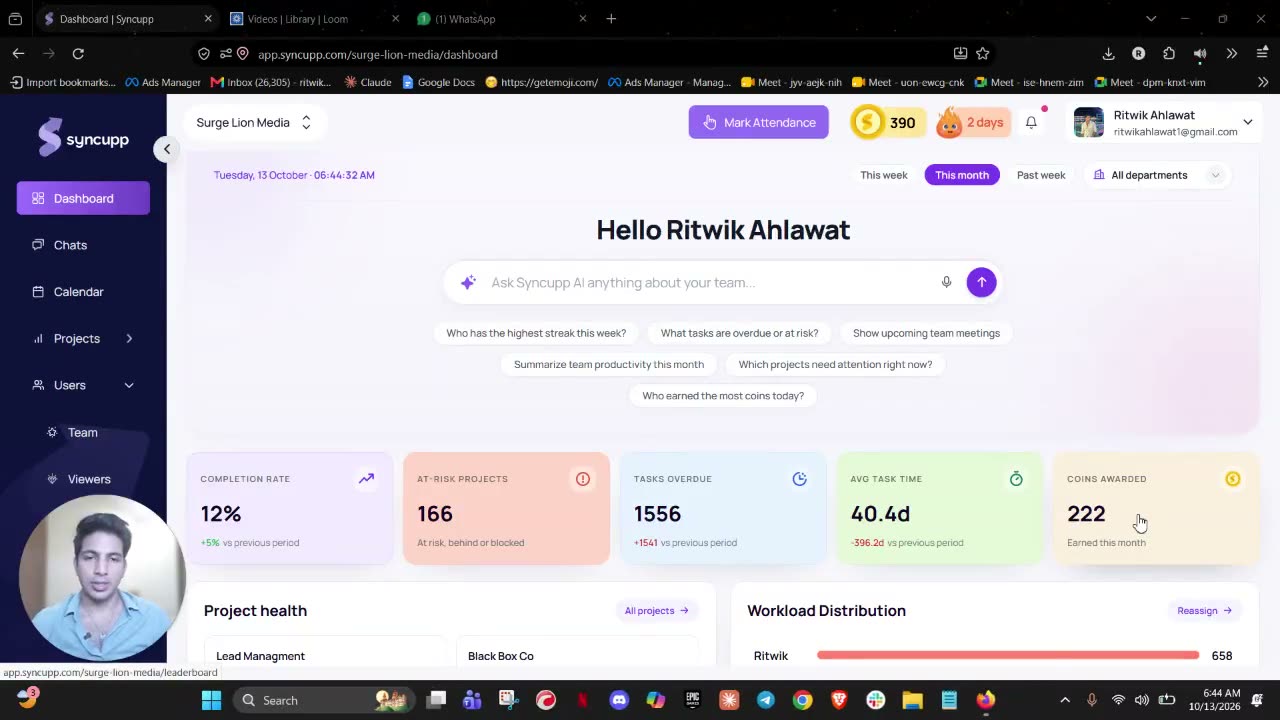
Syncupp is a gamified team management app with native WhatsApp and Slack integration. It combines tasks, team chat, meetings, attendance and leave in one place, and rewards people with points, streaks and leaderboard rankings for finishing work on time.
- Gamification: points (XP) for logins, task completions and on-time delivery; streaks; a live leaderboard that resets weekly; badges; and a rewards section where managers award coins people redeem. Our workplace gamification statistics cover what the research says works.
- Tasks and boards: Kanban, list and calendar views, subtasks, recurring tasks, and approvals built into task completion.
- WhatsApp and Slack: create a task, move a due date, apply for leave or approve leave by replying in WhatsApp or Slack. An AI agent you can message in the app, on WhatsApp or on Slack creates, assigns and updates tasks, with voice notes on WhatsApp and in the app. See WhatsApp task automation.
- Attendance, leave and time: GPS or radius-based check-ins, work-timing logs, leave approvals, and timers with timesheets you can export as CSV.
- Integrations: Claude MCP connector, Zapier, Make and Pabbly. An AI meeting note-taker and AI project reports (weekly client report, monthly leadership report) are rolling out.
Pricing (as of November 2026): Small teams plan, up to 20 users: $8 per user per month billed monthly, $7 quarterly, $6 half-yearly or $5 yearly. Growing teams plan: $149 per month flat for unlimited users. Every plan includes all features; free trial, no credit card required (Syncupp pricing).
Pros
- Gamification gives people a reason to update tasks, not just a place to do it
- Replaces several tools: tasks, chat, meetings, attendance and leave
- WhatsApp and Slack task creation suits teams that already live in chat
- Flat $149 price makes it predictable once you pass 20 people
Cons
- No white-label option for agencies that want to rebrand the client view
- No invoicing, billable rates or retainers; firms that bill by the hour may still need a billing tool
- A younger product with a smaller integration library than Asana or ClickUp
Verdict: Choose Syncupp if your Asana board is always out of date and the team really works in chat. It is the strongest pick here for adoption and consolidation, not for heavy custom workflows. For a feature-by-feature view, see our Syncupp vs Asana comparison.

2. ClickUp: best for teams that want one highly configurable workspace
Best for: teams that want one highly configurable workspace for tasks, docs, whiteboards and chat, and have someone willing to set it up.
ClickUp is an all-in-one productivity platform known for its depth: many views, custom fields, automations, docs and AI features. It is the closest like-for-like Asana replacement for teams that want more power, not less.
Key features: multiple views (list, board, Gantt, calendar), docs and wikis, whiteboards, automations, chat, and pooled AI credits on paid plans.
Pricing (as of November 2026): Free Forever plan; Core at $9 per user per month and Business at $17 per user per month, both billed yearly; Enterprise is custom. Paid plans include pooled AI credits, with extra credits at $10 per 10,000 (ClickUp pricing).
Pros
- Huge feature set; few teams outgrow it
- Generous free plan for unlimited members and tasks
- Strong automation and AI options
Cons
- Setup and learning take real time; small teams often under-use it
- Free plan storage is capped at 60 MB and automations at 100 actions per month
- Frequent pricing and packaging changes make the bill harder to predict
Verdict: Choose ClickUp if you want more power than Asana and have an owner for configuration. Skip it if Asana already felt too complex; our ClickUp alternatives for small teams covers simpler options.
3. monday.com: best for visual boards non-technical teams can read
Best for: non-technical teams that want colourful, visual boards and dashboards with minimal training.
monday.com's work management product uses spreadsheet-like boards with status columns, which makes progress easy to read at a glance.
Key features: customisable boards and column types, dashboards, templates, automations and integrations on higher tiers, and iOS and Android apps.
Pricing (as of November 2026): Free for up to 2 seats (3 boards). Basic $9, Standard $12 and Pro $19 per seat per month billed annually, with a 3-seat minimum; Enterprise is custom (monday.com pricing).
Pros
- Very easy to read and to onboard
- Large template library
- Good dashboards for managers
Cons
- 3-seat minimum and per-seat pricing add up for growing teams
- Useful features such as timeline views and more automations sit on higher tiers
- No built-in incentive for people to keep boards updated
Verdict: Choose monday.com if visual clarity matters most and you can budget for the Standard tier.
4. Trello: best for a simple Kanban board
Best for: very small teams that need a simple Kanban board and little else.
Trello, from Atlassian, is the simplest tool on this list: boards, lists and cards you drag across columns.
Key features: Kanban boards, cards with checklists and due dates, Power-Ups for integrations, and Butler automation.
Pricing (as of November 2026): Free for up to 10 collaborators per Workspace. Standard $5 and Premium $10 per user per month billed annually ($6 and $12.50 billed monthly); Enterprise $17.50 per user per month billed annually (Trello pricing).
Pros
- Learnable in minutes
- Free plan works for teams of up to 10
- Unlimited Power-Ups per board
Cons
- Weak reporting and workload views for managers
- Boards get cluttered as projects multiply
- No chat, attendance or performance features
Verdict: Choose Trello if you need a visual to-do board for a small team and nothing more.
5. Basecamp: best for flat pricing and client work
Best for: client-facing teams that want calm communication and flat, predictable pricing.
Basecamp puts each project's to-dos, message board, schedule, files and group chat on one page, and charges per plan instead of per user.
Key features: to-do lists, message boards, group chat, schedules, file storage and client access.
Pricing (as of November 2026): Free for 1 project and up to 3 users. Freelancer $29/month (5 users), Pro $79/month (10 users), Pro Plus $99/month (15 users) and Pro Unlimited $199/month billed annually for unlimited users. Every person counts toward the limit, including clients and guests (Basecamp pricing).
Pros
- No per-seat maths on the unlimited plan
- Calm, simple interface
- Good for keeping clients in the loop
Cons
- Clients and guests count as users on capped plans
- Limited task-level detail, dependencies and reporting
- Few performance or accountability features
Verdict: Choose Basecamp if you run client projects and value calm over control.
6. Zoho Projects: best for Gantt charts on a tight budget
Best for: cost-conscious teams that need Gantt charts and timesheets, especially businesses already on Zoho.
Zoho Projects is a traditional project management tool with Gantt charts, timesheets and workflow automation at a low per-user price.
Key features: Gantt charts, task dependencies, timesheets, workflow rules, and integrations across the Zoho suite.
Pricing (as of November 2026): Free for up to 5 users and a small number of projects. Premium $4, Enterprise $9 and Ultimate $14 per user per month, per Capterra's Zoho Projects listing. Zoho shows prices by region, so confirm on Zoho's pricing page.
Pros
- Lowest per-user price among the tools here
- Classic project features such as Gantt and timesheets
- Fits neatly into Zoho CRM, Books and People
Cons
- Interface feels dense next to newer tools
- Best value only if you use other Zoho apps
- No built-in motivation layer
Verdict: Choose Zoho Projects for planning-heavy work on a tight budget, or if you bill by the hour and need timesheets.
How do you choose the right Asana alternative?
Start from the problem that made you look, not from feature lists. If people don't update tasks, fix motivation and channels (Syncupp). If you need more power, pick ClickUp or monday.com. If you need less, Trello or Basecamp. If price per user decides it, Zoho Projects. Then trial your top two with real work for one week.
Start from the problem that made you leave Asana
- Does your team skip updating tasks and report in chat?SyncuppPoints, streaks, WhatsApp and Slack tasks
- Do you need deep custom workflows, docs and dashboards?ClickUp or monday.comConfigurable views and automations
- Is a free, simple Kanban board for up to 10 people enough?TrelloFree up to 10 collaborators
- Do you run client projects and want one flat price?BasecampFlat from $29 a month
- Do you need Gantt charts and timesheets at the lowest price?Zoho ProjectsFrom about $4 per user
Answer the questions in order and stop at your first yes; that tool goes on your shortlist with one runner-up from the next yes.
Decision checklist (score each shortlisted tool)
- Monthly cost at our current headcount and at 2x headcount
- Least technical teammate can create and update a task in under 2 minutes
- Updates can happen from where we already talk (WhatsApp, Slack, mobile)
- Replaces at least one other paid tool (chat, attendance, HR, time)
- Manager can see who is overloaded and who is behind without asking
- Imports our Asana projects, tasks and members, or the vendor helps
- Has the one feature we cannot live without (Gantt, timesheets, client access, white-label)
How do you migrate from Asana without losing work?
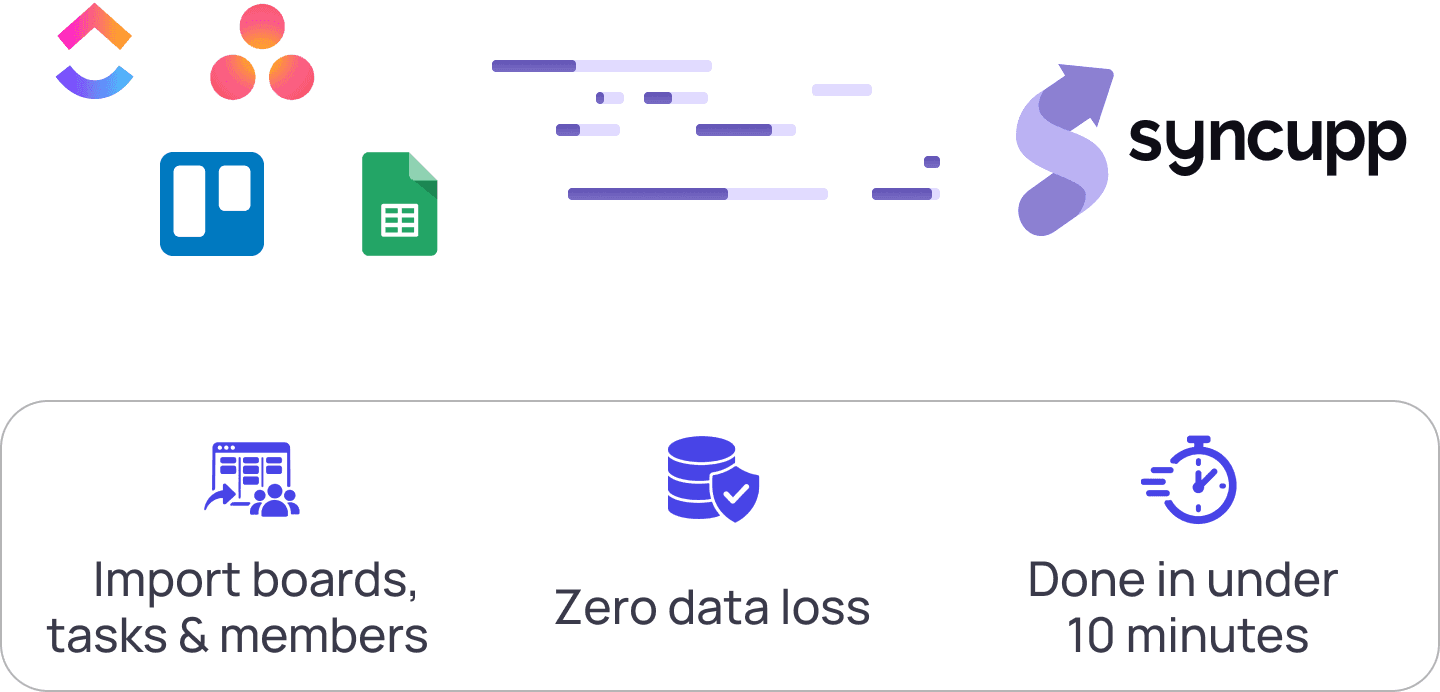
Migrating from Asana takes most small teams a day or less: export your projects to CSV, decide what to move (active projects only), import into the new tool, re-invite members, and run both tools in parallel for one week before cancelling Asana.
- Audit: list active projects and archive anything finished.
- Export: export each Asana project to CSV.
- Import: use the new tool's importer or ask its team. Syncupp, for example, imports projects, tasks, due dates and board columns from Asana, ClickUp, Trello or CSV, and its Growing teams plan includes a guided migration session.
- Rebuild the habits: set up recurring tasks, due-date reminders and approvals first.
- Run in parallel for a week, then cancel Asana at the end of the billing cycle.
FAQ: Asana alternatives for small businesses
What is the best Asana alternative for a small business?
There is no single best tool. Syncupp fits teams whose main problem is task updates and tool sprawl; ClickUp fits teams that want deep customisation; monday.com fits visual teams; Trello fits tiny teams needing a free board; Basecamp fits client work with flat pricing; and Zoho Projects fits tight budgets that need Gantt charts.
Is there a free alternative to Asana?
Yes. Trello is free for up to 10 collaborators per Workspace, ClickUp's Free Forever plan allows unlimited members with 60 MB storage, Zoho Projects is free for up to 5 users, and Basecamp is free for one project with 3 users. Asana's own free plan is limited to 2 seats per project and team.
What is cheaper than Asana for a team of 10?
At annual billing in November 2026, Asana Starter costs about $110 a month for 10 users. Zoho Projects Premium (about $40), Trello Standard ($50), Syncupp ($50), ClickUp Core ($90) and monday.com Basic ($90) all cost less for the same team. Basecamp Pro is $79 flat.
Which Asana alternative works with WhatsApp?
Syncupp has native WhatsApp integration built on WhatsApp's official API: you can create tasks, move due dates, apply for leave and approve leave by replying in a WhatsApp chat. Most other tools need a third-party connector such as Zapier for any WhatsApp workflow. See how to manage your team on WhatsApp without losing tasks.
Is ClickUp better than Asana for small businesses?
ClickUp is cheaper per user and has more features, including docs, whiteboards and chat. That depth is also its weakness: setup takes longer and small teams often find it more complex than Asana. If Asana felt too heavy, a simpler tool will usually serve you better than ClickUp.
Can one app replace Asana and Slack together?
Yes, if your chat needs are internal. Tools such as Syncupp and ClickUp include team chat alongside tasks, and Basecamp has group chat per project. Teams that rely on many Slack integrations may still keep Slack and connect it, which Syncupp supports natively.
Conclusion: which Asana alternative should you choose?
If Asana is costing too much, Trello and Zoho Projects are the cheapest switches. If it is too complex, Basecamp or Trello simplify. If you need more power, ClickUp and monday.com deliver it. If your real problem is that the team never updates tasks and work is scattered across WhatsApp, Slack and spreadsheets, Syncupp is built for exactly that.
About Syncupp
Syncupp is a gamified team management app with native WhatsApp and Slack integration, combining tasks, team chat, meetings, attendance and leave with points, streaks and leaderboards that make teams actually update their work. It is built for small and mid-size teams of 5–100 people and costs $5–$8 per user per month for up to 20 users, or $149 per month flat for unlimited users. See Syncupp pricing.
